
PteroStats reads your panel with a Client API key. You enter it during setup.
Application API keys are deprecated for PteroStats. Use a Client API key.
Create the key from an account that has administrator access to the panel.
1

Open your account page

Sign in to your Pterodactyl or Pelican panel and open your account page.
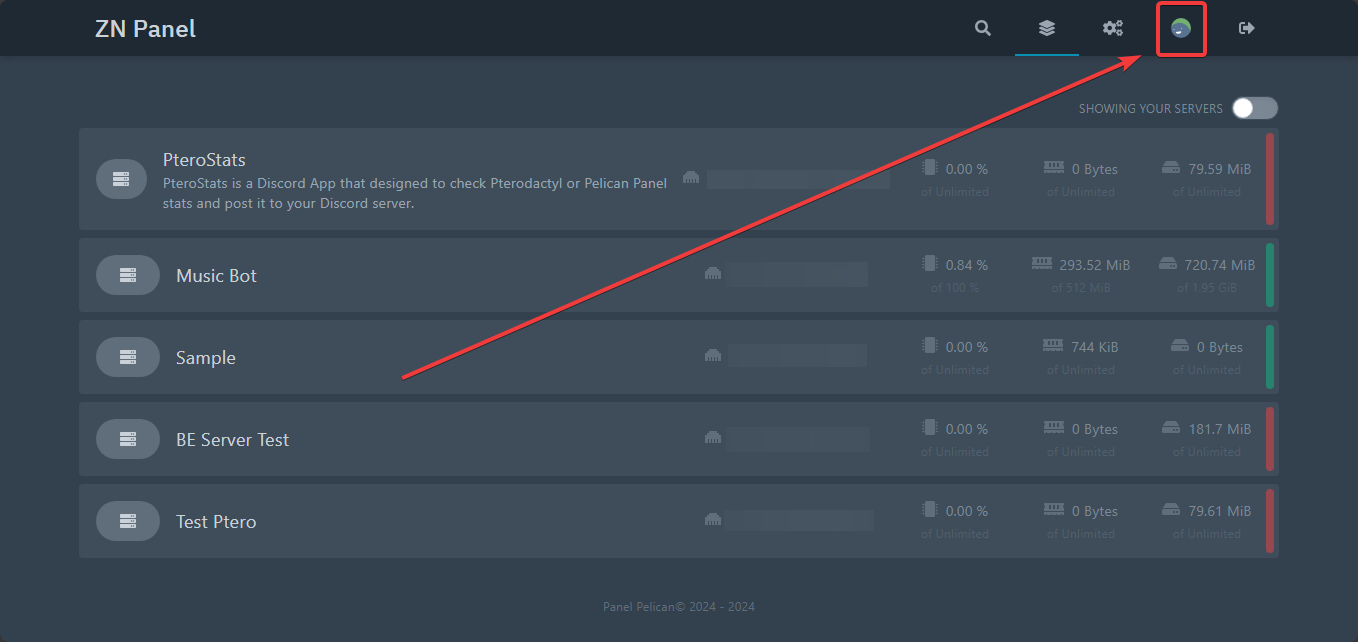
Panel home with account link
2

Open API Credentials

Select API Credentials.
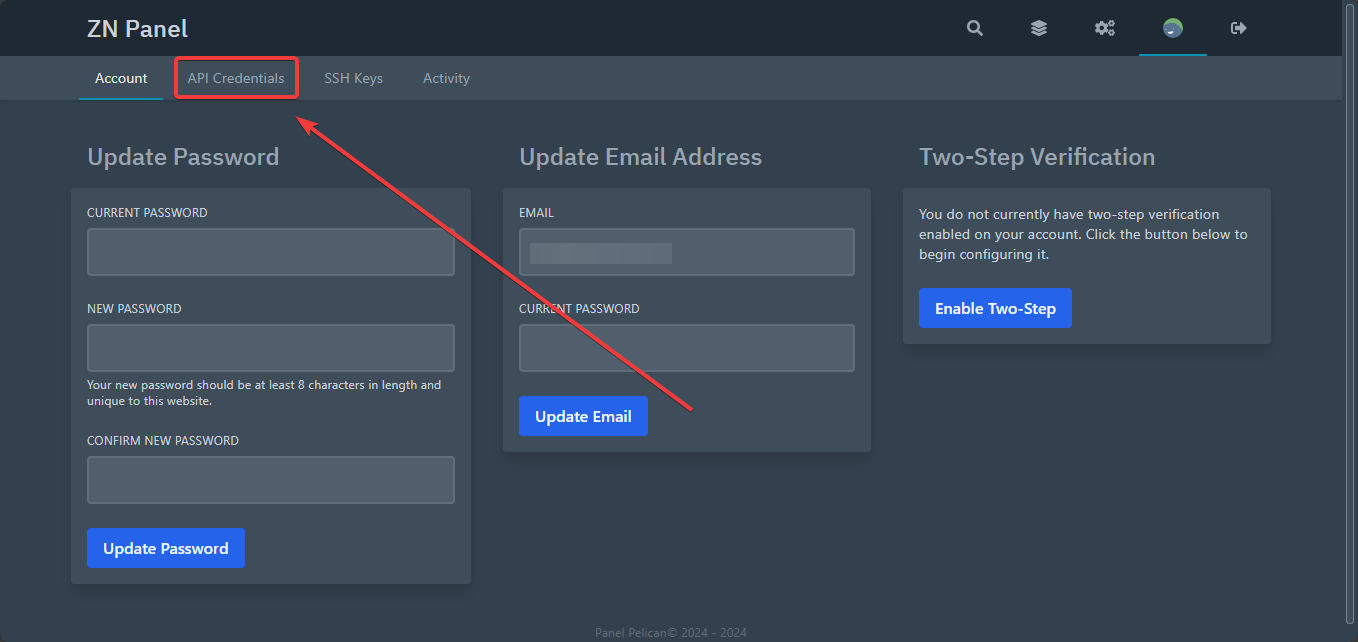
API Credentials on the account page
3

Create the key

Enter a description, such as PteroStats, and select Create.
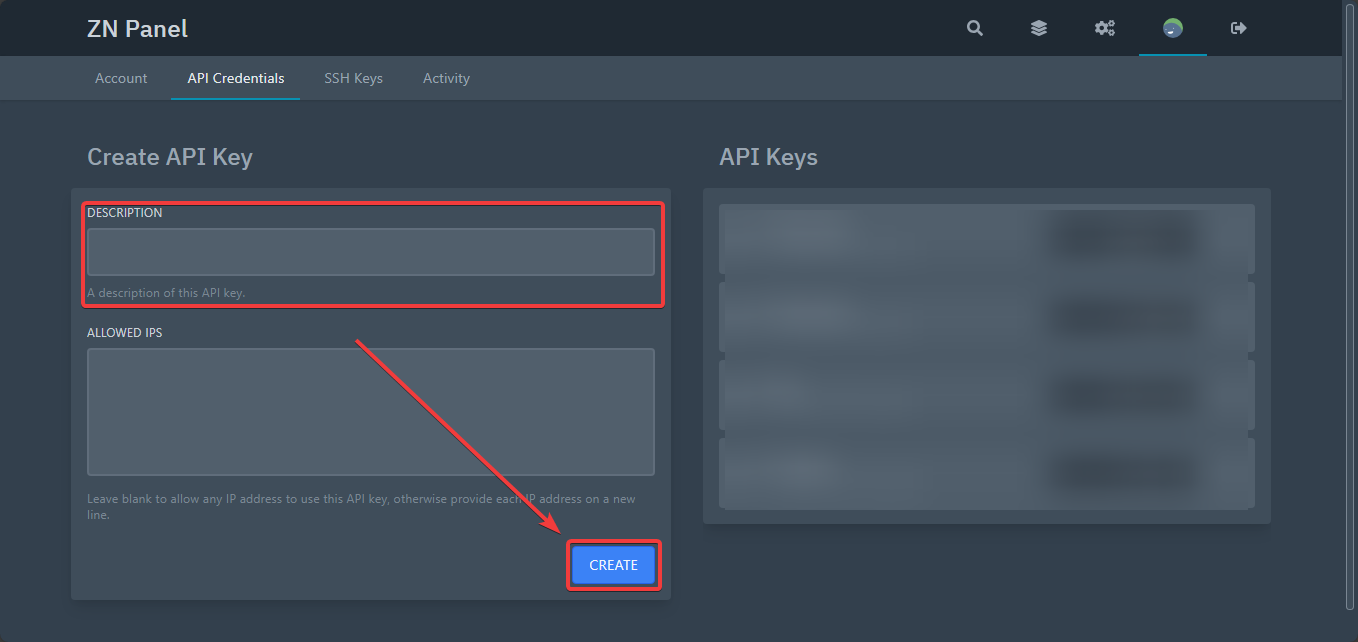
Create Client API key form
4

Copy the key

Copy the key and store it somewhere safe.
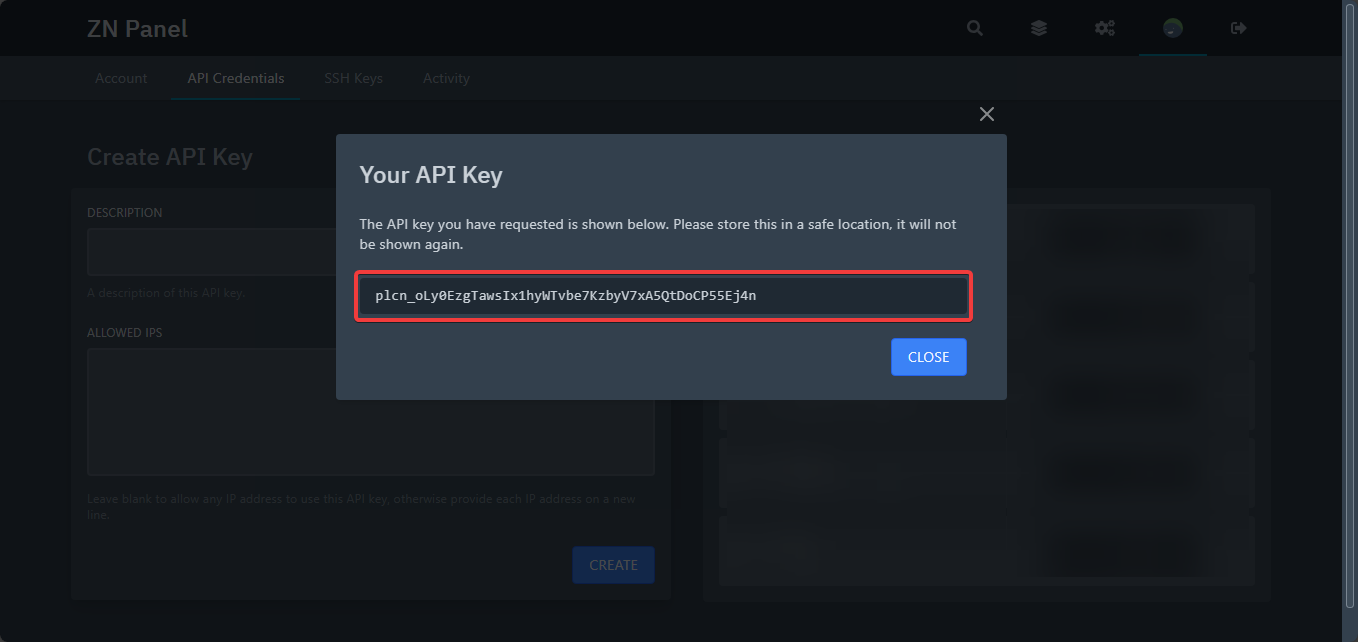
Newly created API key
Never share your API key or post it in public channels. If it leaks, delete it in your panel and create a new one.